Project Overview
📌 Description
“Electronics Made Simple, Secure, and Affordable”
🛠 Tech Stack
Spring MVC (java config) , my sql , hibernate, jsp
🎯 Best For
- Final year students
- Interview preparation
- Backend developers
- Resume projects
🚀 Learning Outcome
- Spring Boot architecture
- Database integration
- REST APIs
- Deployment flow
Project Screenshots
Full Implementation Guide
Online Shopping System - Detailed Project Description
Introduction
The Online Shopping System is a full-stack e-commerce platform designed to provide customers with a seamless shopping experience while offering administrators powerful tools to manage products, customers, orders, and messages. Built using Spring MVC with Java Config, Hibernate ORM, MySQL Database, and JSP views, the system demonstrates how modern enterprise technologies can be integrated to deliver a scalable, secure, and user-friendly application. This description provides a detailed overview of the technologies used, the architectural design, and the features available to both customers and administrators. It is intentionally expansive, offering a deep dive into each component and feature to give a complete understanding of the project.
Technologies Used
The system leverages a combination of proven Java-based frameworks and tools to ensure robustness, maintainability, and scalability. Each technology plays a specific role in the architecture:
- Spring MVC (Java Config) – Provides the core web framework for handling HTTP requests, mapping URLs to controllers, and resolving views. Java-based configuration eliminates XML, making the setup cleaner and more maintainable.
- Hibernate ORM – Manages persistence by mapping Java entities to relational database tables. It simplifies CRUD operations and ensures that the application can interact with the database using object-oriented paradigms.
- MySQL Database – Stores all persistent data including products, customers, orders, and messages. MySQL is chosen for its reliability, performance, and wide adoption in enterprise applications.
- JSP Views – Used to render dynamic web pages. JSP integrates seamlessly with Spring MVC, allowing data from controllers to be displayed in a user-friendly format.
- Spring Security – Provides authentication and authorization. Customers and administrators have different roles, ensuring that sensitive operations are restricted to authorized users.
System Architecture
The architecture follows the Model-View-Controller (MVC) pattern. Controllers handle incoming requests, services contain business logic, DAOs interact with the database via Hibernate, and JSP views render the user interface. The system is modular, with clear separation of concerns:
- Controllers – ProductController, CartController, CustomerController, AdminController, OrderController, MessageController.
- Entities – Product, Customer, Order, OrderDetail, Message.
- DAOs – ProductDAO, CustomerDAO, OrderDAO, MessageDAO.
- Services – ProductService, CartService, CustomerService, OrderService, MessageService.
This layered approach ensures maintainability and scalability. Each layer can evolve independently, and new features can be added without disrupting existing functionality.
Database Design
The MySQL database schema is designed to capture all aspects of the shopping process:
- Product Table – Stores product details such as name, category, price, stock, and description.
- Customer Table – Contains customer information including name, email, phone, username, password, and addresses.
- Order Table – Records orders placed by customers, including order date, total amount, and status.
- OrderDetails Table – Links orders to products, capturing quantity and price.
- Message Table – Stores customer queries, complaints, and reports.
This schema supports the features seen in the system: product listings, shopping cart, order receipts, customer management, and message handling.
Features Available
Customer-Facing Features
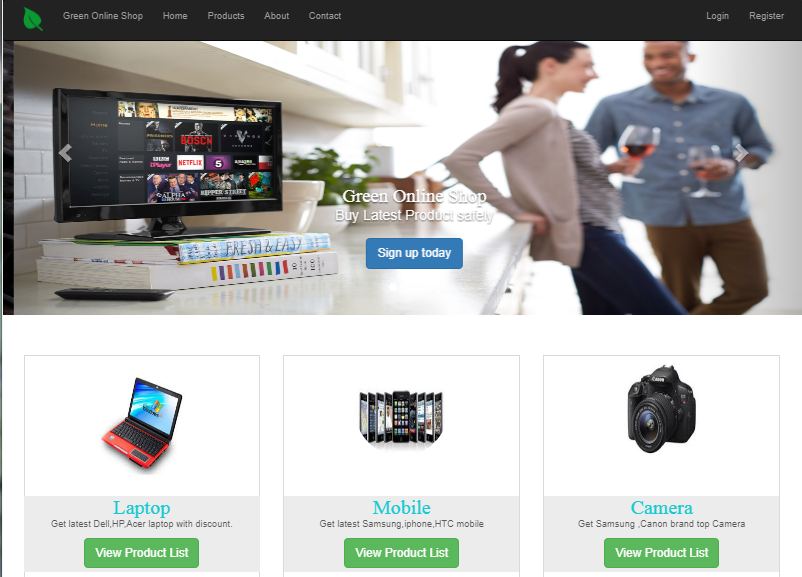
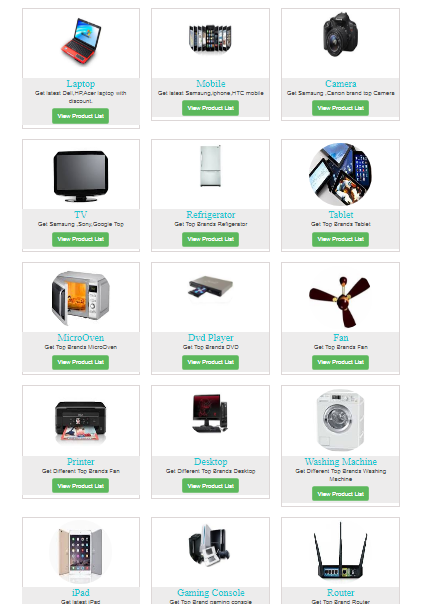
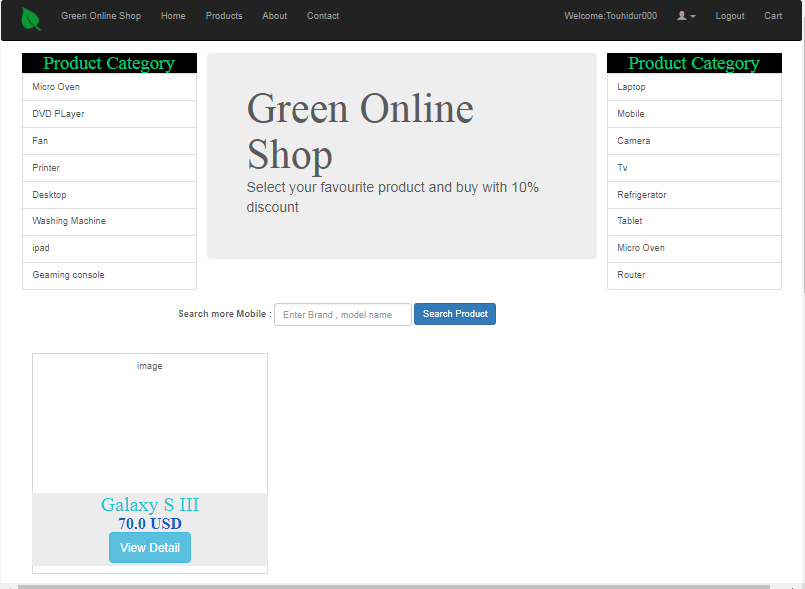
- Product Catalog – Customers can browse categories such as mobiles, laptops, cameras, and appliances. Each category displays products with images, descriptions, and prices.
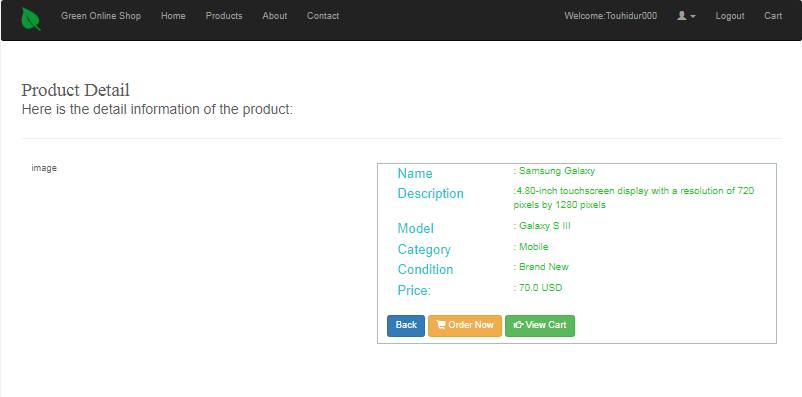
- Product Detail Page – Provides detailed information about a product including specifications, model, condition, and price. Customers can add products to their cart directly from this page.
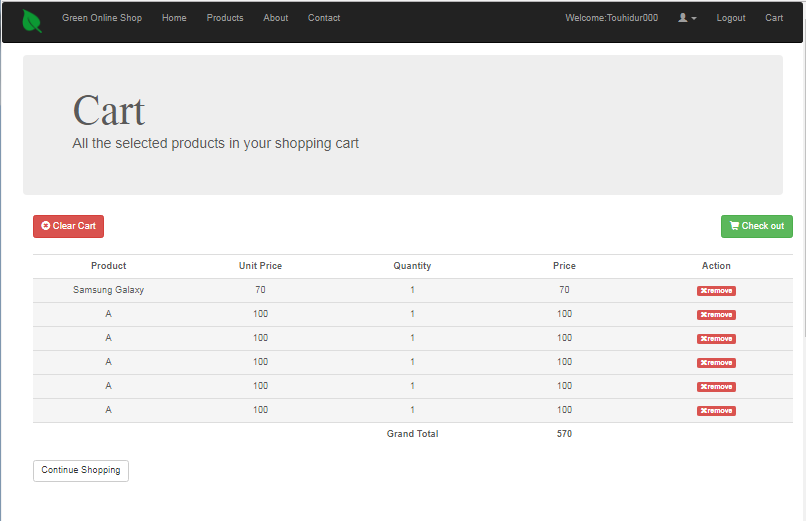
- Shopping Cart – Displays selected products, unit prices, quantities, and total cost. Customers can remove items, clear the cart, or proceed to checkout.
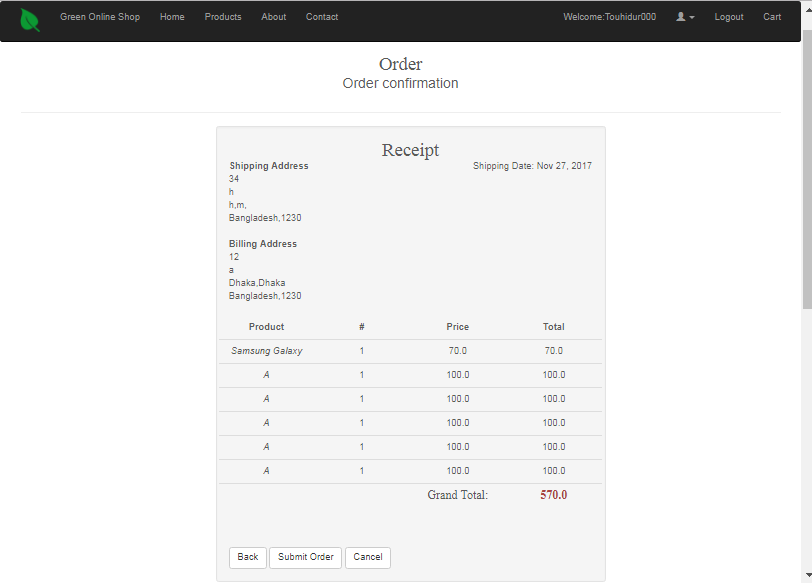
- Order Placement – Customers can place orders, providing billing and shipping addresses. The system generates a receipt summarizing the order.
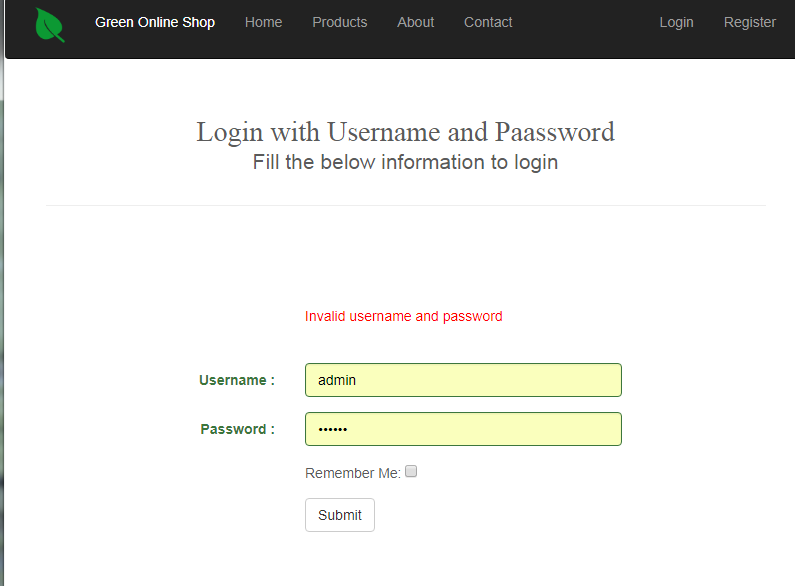
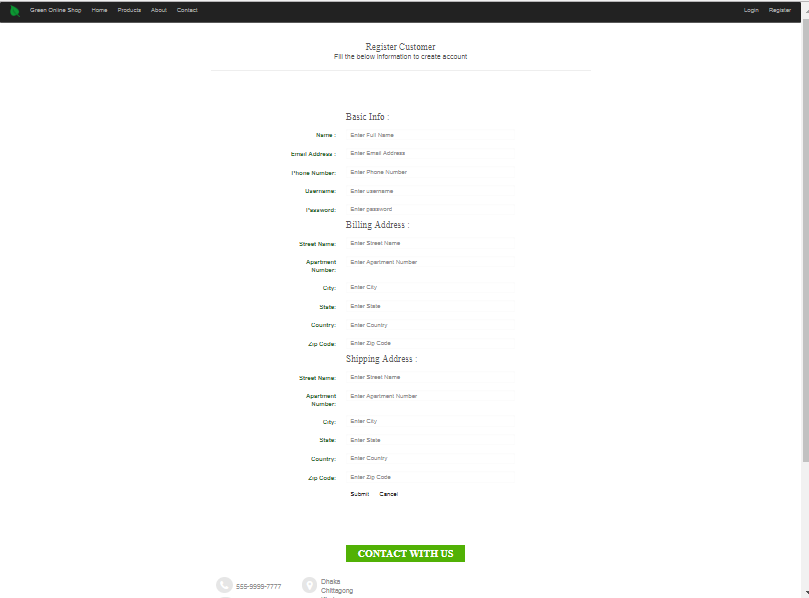
- Customer Registration and Login – New customers can register by providing personal and address details. Existing customers can log in securely to access their accounts.
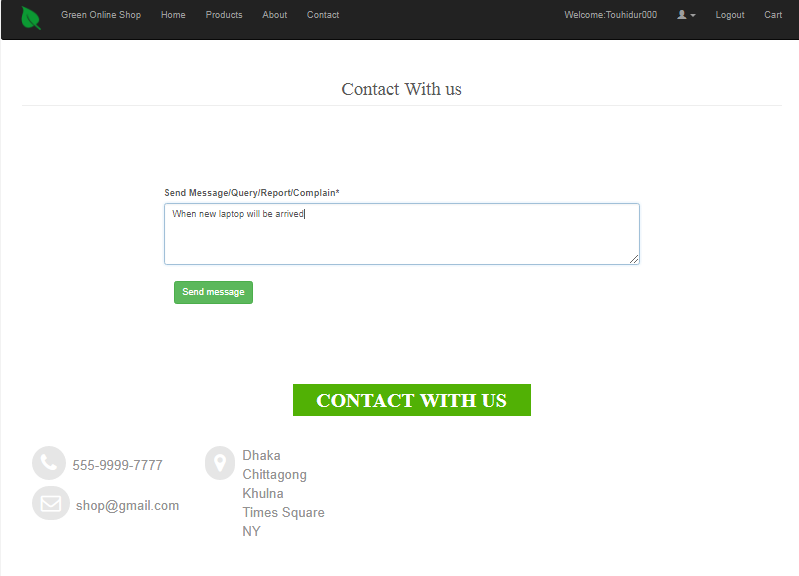
- Customer Support – A contact form allows customers to send queries, complaints, or reports. Messages are stored in the database and visible to administrators.
Administrator Features
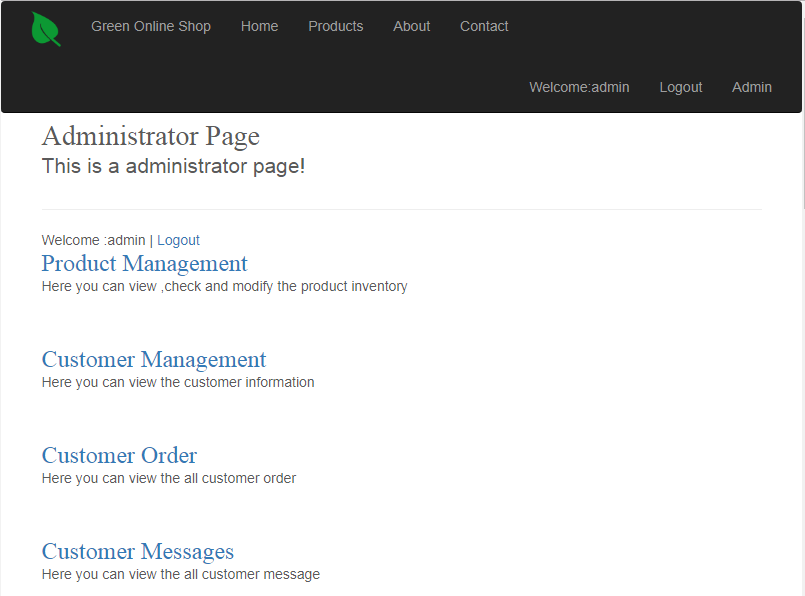
- Admin Dashboard – Provides access to product management, customer management, order management, and message management.
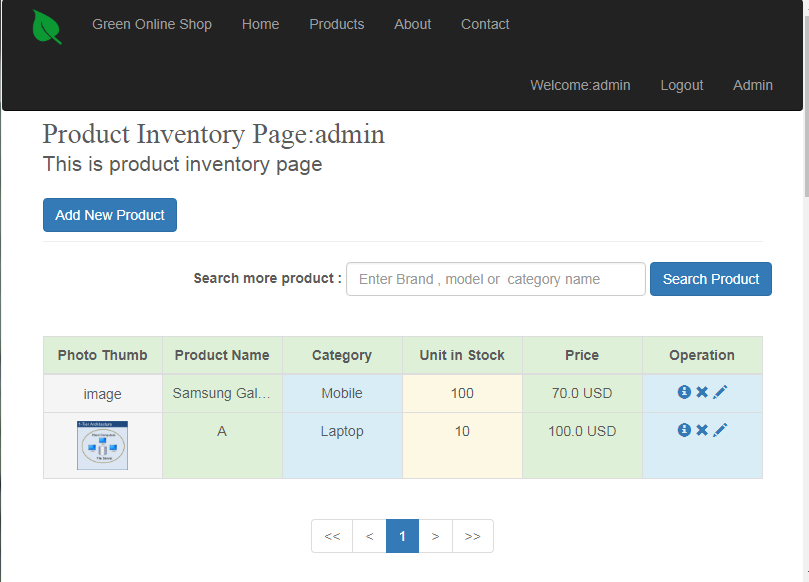
- Product Management – Administrators can add, edit, and delete products. Inventory levels and prices can be updated.
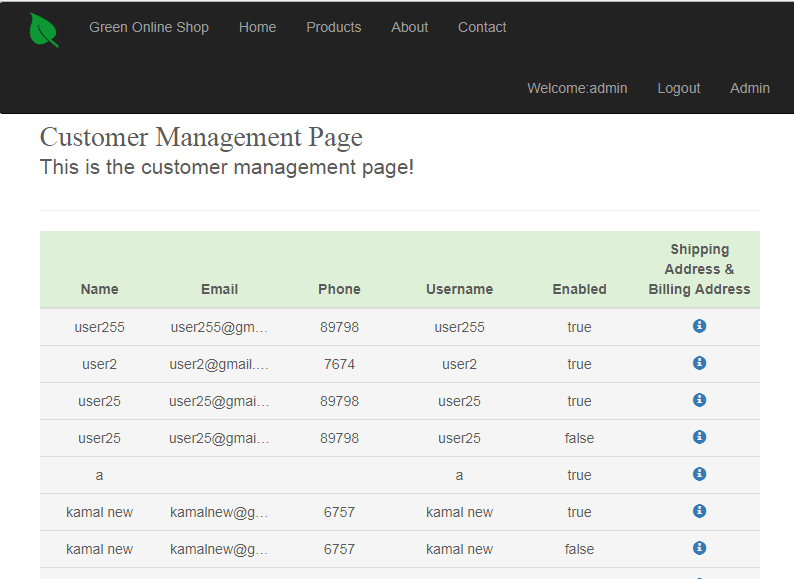
- Customer Management – Displays customer details including name, email, phone, username, and addresses. Administrators can enable or disable accounts.
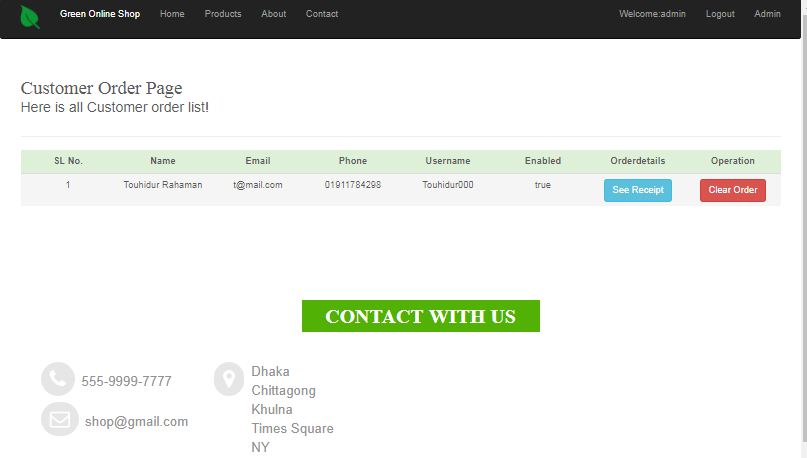
- Order Management – Shows all customer orders. Administrators can view receipts and clear orders.
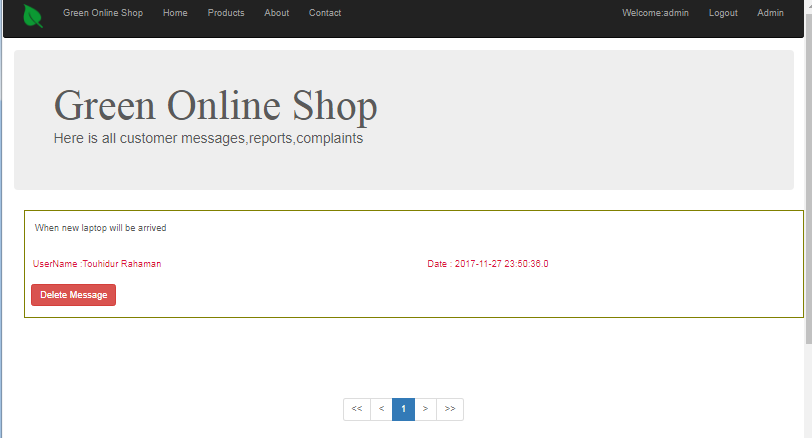
- Message Management – Displays customer messages. Administrators can delete inappropriate or resolved messages.
Detailed Feature Walkthrough
The following sections provide a detailed walkthrough of how each feature works, tying back to the interfaces seen in the system.
Product Catalog and Detail
The catalog is the entry point for customers. Categories are displayed on the homepage, allowing customers to quickly navigate to the products they are interested in. Each product is shown with a thumbnail, name, and price. Clicking on a product opens the detail page, which provides comprehensive information. For example, a Samsung Galaxy mobile might display its screen size, resolution, model number, category, condition, and price. Customers can then add the product to their cart.
Shopping Cart
The cart page lists all selected products. Each row shows the product name, unit price, quantity, and total price. Customers can remove items individually or clear the entire cart. The grand total is displayed at the bottom. Buttons allow customers to continue shopping or proceed to checkout. This feature ensures transparency and control over purchases.
Order Placement and Receipt
When customers proceed to checkout, they provide billing and shipping addresses. The system generates an order record in the database and creates a receipt. The receipt lists products, quantities, prices, and totals. It also displays shipping and billing addresses and the shipping date. This feature ensures that customers have a clear record of their purchase.
Customer Registration and Login
New customers can register by filling out a form with personal information and addresses. The system stores this data in the customer table. Existing customers can log in using their username and password. Spring Security ensures that authentication is secure. Role-based access control ensures that only administrators can access admin features.
Customer Support
The contact page allows customers to send messages. They can submit queries, complaints, or reports. Messages are stored in the database and displayed in the admin interface. Administrators can review and delete messages. This feature ensures that customer feedback is captured and addressed.
Admin Dashboard
The admin dashboard provides links to product management, customer management, order management, and message management. Each section displays relevant data in tables. Administrators can perform CRUD operations on products, view and manage customers, review orders, and handle messages. This centralized interface ensures efficient management of the system.
Security and Authentication
Spring Security is used to manage authentication and authorization. Customers and administrators have different roles. Customers can browse products, manage carts, and place orders. Administrators can manage products, customers, orders, and messages. Passwords are encrypted before storage. Role-based access ensures that sensitive operations are restricted to authorized users.
Scalability and Maintainability
The system is designed to be scalable. New features can be added by creating new controllers, services, and views. The layered architecture ensures that changes in one layer do not affect others. Hibernate simplifies database interactions, making it easy to switch to another database if needed. Spring MVC with